pygitmirror began in 2024 as a small package with one job: clone a repository from one git server and push its branches to another, the kind of chore a home lab with its own Gitea server keeps creating. In November 2026 I rebuilt it with a coding agent, Claude Code, the same way I rebuilt pysqlx and samplepaths: I set the rules and reviewed every pull request, and the agent wrote the code, the tests and the documentation.
This project tested the approach on harder ground than the two libraries. A mirroring tool holds tokens that can read and write every repository of an account, runs git on addresses it is given, and can overwrite or delete branches on a server. A mistake here is not a wrong number; it is a leaked token or a lost branch.
The short version: version 0.2.1 copies branches and tags between GitHub, GitLab, Gitea, Forgejo, Bitbucket and any other git server; it has a command, a Python library, a page that runs on your own machine and a Docker image; it needs nothing but Python and git; and it has 453 tests, plus a check against real Gitea servers on every pull request.
What it does
pygitmirror has three operations, which differ in what they are allowed to destroy:
- clone only adds. It creates missing repositories, adds branches and tags, and moves branches forward, but fails rather than overwrite anything that differs.
- sync makes the destination equal to the source, deletions included. It is the one to run from cron to keep a copy current, and it refuses to empty a destination because the source came back empty.
- migrate copies like clone, then lists the destination again to verify it, and can archive the source so it becomes read-only. It never deletes the source.
Every operation has a dry run that changes nothing, and missing destination repositories are created with the description and visibility of the source. A repository that has not changed costs two short requests and no download, so syncing a whole organization every night is cheap.
export GIT_MIRROR_SOURCE_TOKEN=...       # a GitHub token
export GIT_MIRROR_DESTINATION_TOKEN=...  # a Gitea token

git-mirror sync --source github \
    --destination gitea --destination-url https://git.example.com \
    --org my-org --all
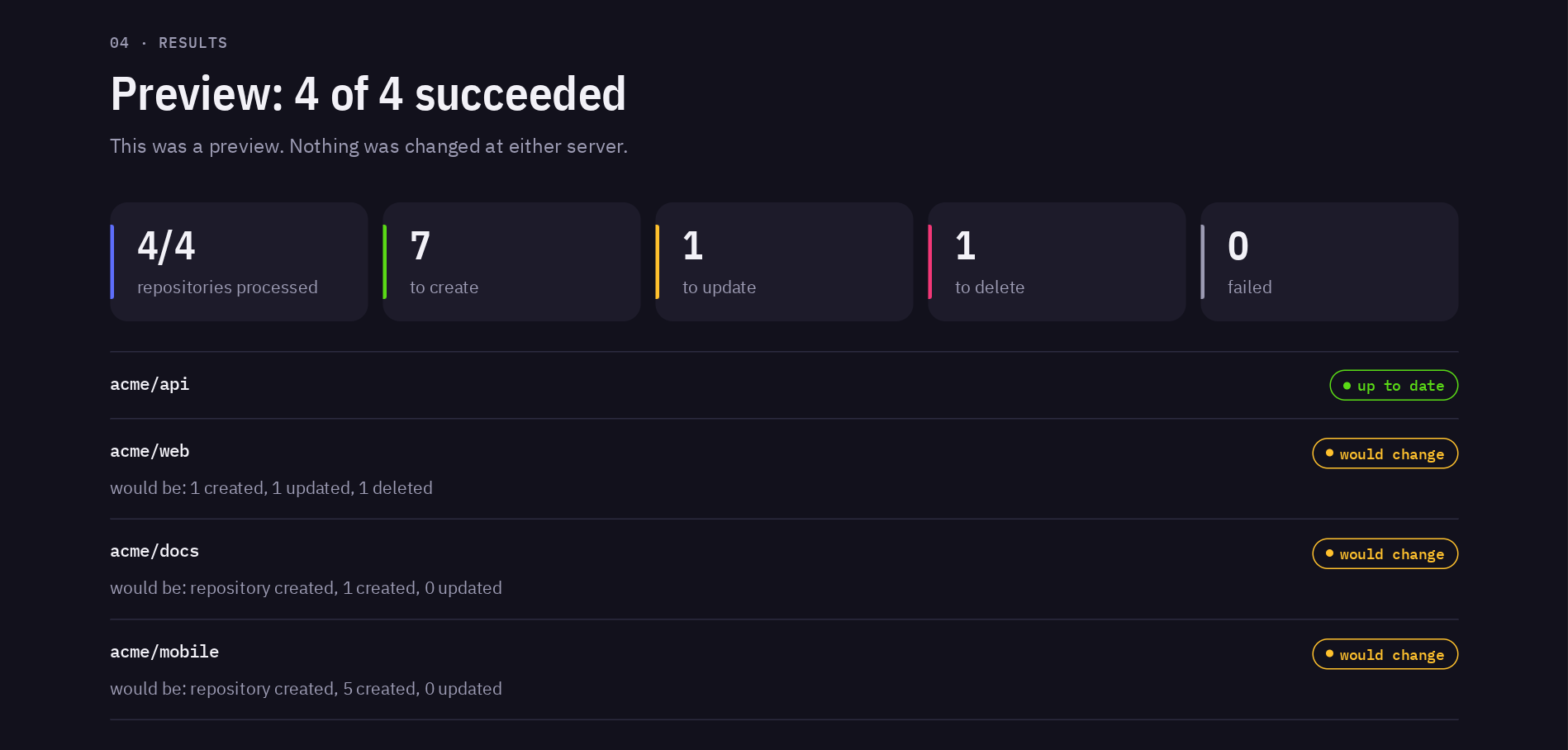
git-mirror serve opens the same operations as a page on your own machine:
choose two servers, list the repositories, preview, and run.
How it is built
Copying a repository has two halves that have nothing in common. The git data moves through git, which every host speaks the same way. The repository itself, its existence, description, visibility and default branch, is managed through each host’s own API. The package keeps the two apart:
gitknows git and no host. It runs thegitexecutable directly, not a git library, and keeps a bare local mirror of each repository.hostsknows the hosts and no git: one class per provider over a small HTTP client written on the standard library, with GitHub and Gitea sharing most of their code.mirrorcombines them into the operations. It compares the branches and tags of both sides into a plan, checks for divergence before pushing instead of leaving it to git, and reports a result per repository.cliandwebare two ways in: the command, and the page with its small server and plain JavaScript, with no framework.
The rules of the code base are the same as in the other projects: one class per module, no file over 300 lines, strict mypy, and a record of 34 design decisions, each with the alternative that was rejected and why. The package has no dependencies at run time; the 0.0 versions depended on GitPython, which the rebuild replaced with the git executable.
Security
As with my other packages, no independent firm has audited pygitmirror. What it has is a threat model written down in its security page, with the defense for each threat and where in the code it lives:
| Area | What could go wrong | What prevents it |
|---|---|---|
| Tokens | a token in a URL, which git stores and prints | no URL with a token is ever built; git gets the token as an HTTP header in the environment of one command |
| Tokens | a token in the process list, a file, a log or the shell history | headers go in the environment, nothing writes a token, logs pass through redaction, and the command reads tokens from environment variables only |
| Tokens | a redirect that carries the token to another server | the API client follows no redirect off its own server |
| Input | a repository name that escapes the mirror folder or reads as a git option | names are checked where they enter: no .., no leading hyphen |
| Input | an address that makes git run a command | git runs without a shell and with the ext transport disabled |
| The page | another machine, another user, or a website in the same browser | it listens on 127.0.0.1, needs a random access key kept in a cookie scripts cannot read, accepts only same-site JSON requests and refuses foreign host names, which stops DNS rebinding |
| The page | injected script | a content policy that allows the page’s own files only, and nothing inline |
| The image | a compromised container | Alpine with Python, git and the SSH client only; runs as a user that is not root, with a read-only file system |
Around that: ruff runs bandit’s security rules on every change, CodeQL
scans the code and the workflows (no open alerts in November 2026),
workflows have read-only permissions unless a job needs more, Dependabot
updates the actions and the base image, releases reach PyPI through trusted
publishing, and SECURITY.md explains how to report a vulnerability
privately.
Next to other tools
There are several ways to copy repositories between servers, and pygitmirror is the youngest of them:
- Mirroring built into the servers. Gitea and Forgejo can pull or push a mirror, and GitLab can mirror a project to another server. They are the simplest choice for a few repositories on a server you control, but they are configured per repository, and the server keeps the credentials.
git clone --mirrorandgit push --mirrorin a script. Nothing to install, but a mirror push overwrites and deletes everything at the destination, the destination repositories usually have to exist already, and the token often ends up in a URL.- ghorg clones or backs up every repository of an organization or user into one directory, from GitHub, GitLab, Bitbucket and more. It is mature and widely used, with more than 2,000 stars, and its target is a disk, not another server.
- gickup backs up repositories from many hosts and can push them to other hosts. It is also mature, with about 1,500 stars, and written in Go.
pygitmirror’s place among them: host to host with the destination repositories created as needed, three operations with different powers to destroy and a preview for each, verification and archiving for a migration, tokens kept out of every URL and file, and no dependencies beyond Python and git. It does not copy issues, pull requests, wikis, releases or Git LFS files, and it is a one-maintainer project with no track record yet.
Working with the agent, again
The process was the one from the earlier post: instructions for coding
agents in .github/copilot-instructions.md with a CLAUDE.md that points
to it, make check as the definition of done, a pull request for each
change with a verification section, and me reviewing and merging. Seven
pull requests added about 14,000 lines of code, tests and documentation.
Two things stood out on this project.
The agent was honest about what it could not test. The first rebuild
could not use tokens on real accounts, and the pull request said so
plainly: creating repositories, setting the default branch, archiving and
token authentication had been tested against stand-ins only, while reading
and listing public repositories had been checked against github.com,
gitlab.com, gitea.com and bitbucket.org. The next pull request closed most
of that gap with something repeatable: make check-gitea starts two Gitea
servers in containers, creates tokens and copies between them, and it now
runs on every pull request. A self-managed GitLab in a container was tested
by hand, and the pull request says that too.
Security was written down, not assumed. The page that can use tokens arrived in the same pull request as the threat model that protects it, and the rule that no token may reach a file, a URL, a command line, a log or the browser’s storage is a checklist item on every pull request since. This is the patient kind of work the agent did well: following where a token or a name can travel, and writing the security page in a form a reviewer can check line by line.
What I take from three projects now: a coding agent is most useful where the work is careful rather than clever, and it is trustworthy when the project says precisely what correct means and the agent reports, as plainly as its successes, what it did not verify.